

Why Business Wi-Fi Is Now Critical Infrastructure
Wireless connectivity has moved well beyond a convenience layer. For offices, retail stores, hotels, schools, warehouses, and SMBs across the UAE, Wi-Fi is the primary transport for business applications, collaboration platforms, point-of-sale systems, IoT devices, and guest services. A poorly specified wireless network creates measurable operational friction: dropped video calls, slow application response times, failed transactions, and security exposure.
As the UAE continues to accelerate digital transformation across sectors, the decision between Wi-Fi 6, Wi-Fi 6E, and Wi-Fi 7 has become a meaningful procurement question. IT managers and network administrators are being asked to justify upgrade investments while procurement teams need to understand the cost-to-benefit ratio across different deployment environments. This article provides a structured, technically grounded comparison to support that decision.
Wi-Fi 6, Wi-Fi 6E, and Wi-Fi 7 Explained in Business Terms
Each successive Wi-Fi standard builds on the previous one, but the improvements are not uniform across all use cases. Understanding what each standard actually delivers in a business environment is the starting point for any rational upgrade decision.
Wi-Fi 6 (802.11ax)
Released commercially from 2019 onwards, Wi-Fi 6 operates on the 2.4 GHz and 5 GHz bands. Its primary engineering advances over Wi-Fi 5 are OFDMA (Orthogonal Frequency Division Multiple Access), which allows a single access point to serve multiple clients simultaneously rather than sequentially, and MU-MIMO improvements that increase the number of spatial streams. The practical result is significantly better performance in high-density environments, such as open-plan offices, conference rooms, and retail floors, where many devices compete for airtime. Wi-Fi 6 also introduced Target Wake Time, which reduces battery consumption on IoT and mobile devices.
Wi-Fi 6E (802.11ax extended)
Wi-Fi 6E applies the same 802.11ax technology to the 6 GHz band, which became available in the UAE following regulatory clearance. The 6 GHz band offers up to 1,200 MHz of additional spectrum, substantially reducing congestion in dense environments where the 2.4 GHz and 5 GHz bands are saturated. Because the 6 GHz band is new, legacy devices cannot access it, which means the band is effectively reserved for Wi-Fi 6E and Wi-Fi 7 clients. For organisations with a high proportion of modern devices and congestion problems on existing bands, Wi-Fi 6E provides a meaningful improvement without requiring a full infrastructure overhaul.
Wi-Fi 7 (802.11be)
Wi-Fi 7 is the current leading standard, operating across 2.4 GHz, 5 GHz, and 6 GHz simultaneously. Its most significant technical advances include Multi-Link Operation (MLO), which allows a single device to transmit and receive across multiple bands and channels at the same time, 320 MHz channel width in the 6 GHz band (double the maximum in Wi-Fi 6E), and 4096-QAM modulation (up from 1024-QAM in Wi-Fi 6/6E), which increases peak throughput. Wi-Fi 7 also improves latency consistency, which is relevant for real-time applications. Theoretical maximum throughput figures for Wi-Fi 7 reach into the tens of gigabits per second, though real-world performance is always lower and depends on client capability, environment, and backhaul.
When Wi-Fi 6 or Wi-Fi 6E Is the Right Choice
For a significant proportion of UAE businesses, Wi-Fi 6 or Wi-Fi 6E remains the appropriate and cost-effective choice. Selecting a standard that exceeds operational requirements does not improve outcomes; it increases capital expenditure and, in some cases, operational complexity.
Environments Where Wi-Fi 6 Performs Well
- SMB offices with moderate device density: A business with 20 to 80 users in a standard office layout, using cloud applications, email, and video conferencing, will operate effectively on a well-designed Wi-Fi 6 network. The OFDMA and MU-MIMO improvements over Wi-Fi 5 are sufficient for this workload.
- Warehouses and logistics facilities: Warehouse Wi-Fi requirements are typically driven by handheld scanners, forklift-mounted terminals, and inventory management systems rather than high-throughput applications. Wi-Fi 6 provides reliable coverage and adequate capacity for these use cases. The priority in warehouse environments is coverage consistency and roaming performance, not peak throughput.
- Retail environments with standard POS and inventory systems: Most retail Wi-Fi requirements involve POS terminals, inventory scanners, and staff devices. Wi-Fi 6 handles these workloads without difficulty and is available at a price point that suits retail deployment economics.
- Budget-constrained deployments with a refresh cycle within three to four years: Organisations that plan to refresh their wireless infrastructure within a defined cycle can deploy Wi-Fi 6 now and evaluate Wi-Fi 7 at the next refresh, by which point client device support will be more widespread and hardware costs will have normalised.
When Wi-Fi 6E Adds Value
Wi-Fi 6E is the appropriate step up when an organisation has modern client devices capable of operating on the 6 GHz band and is experiencing congestion on the 5 GHz band. High-density conference facilities, co-working spaces, and hospitality environments where guests bring multiple capable devices are candidates for Wi-Fi 6E. It delivers the spectrum relief of the 6 GHz band without the full infrastructure cost of Wi-Fi 7.
When Wi-Fi 7 Makes Business Sense
Wi-Fi 7 is not a universal upgrade requirement, but there are specific environments and use cases where its capabilities translate into tangible operational value.
High-Density, High-Throughput Environments
Venues such as hotels, convention centres, university campuses, and large corporate headquarters where hundreds of devices operate concurrently and many users run bandwidth-intensive applications simultaneously benefit from Wi-Fi 7’s Multi-Link Operation and wider channel support. MLO in particular reduces latency variability, which matters for unified communications platforms and cloud-based collaboration tools used at scale.
Organisations Running Latency-Sensitive Applications
Businesses deploying augmented reality for training or maintenance, high-resolution video collaboration, or real-time data analytics at the edge will benefit from Wi-Fi 7’s improved latency characteristics. These are not typical SMB workloads, but they are increasingly present in manufacturing, healthcare, and advanced retail environments in the UAE.
Future-Proofing a New Build or Major Renovation
When an organisation is fitting out a new facility or undertaking a significant infrastructure renovation, the incremental cost of deploying Wi-Fi 7 access points rather than Wi-Fi 6 access points is lower relative to the total project cost. In this context, selecting Wi-Fi 7 extends the useful life of the wireless infrastructure and avoids a premature refresh cycle.
Environments With a High Proportion of Wi-Fi 7 Client Devices
Wi-Fi 7 delivers its full capability only when client devices support the standard. Organisations that have recently refreshed their endpoint fleet with current-generation laptops, smartphones, and tablets are better positioned to realise the benefits of Wi-Fi 7 access points. Deploying Wi-Fi 7 infrastructure against a predominantly Wi-Fi 5 client base yields limited return.
Hidden Upgrade Requirements: Infrastructure Beyond the Access Point
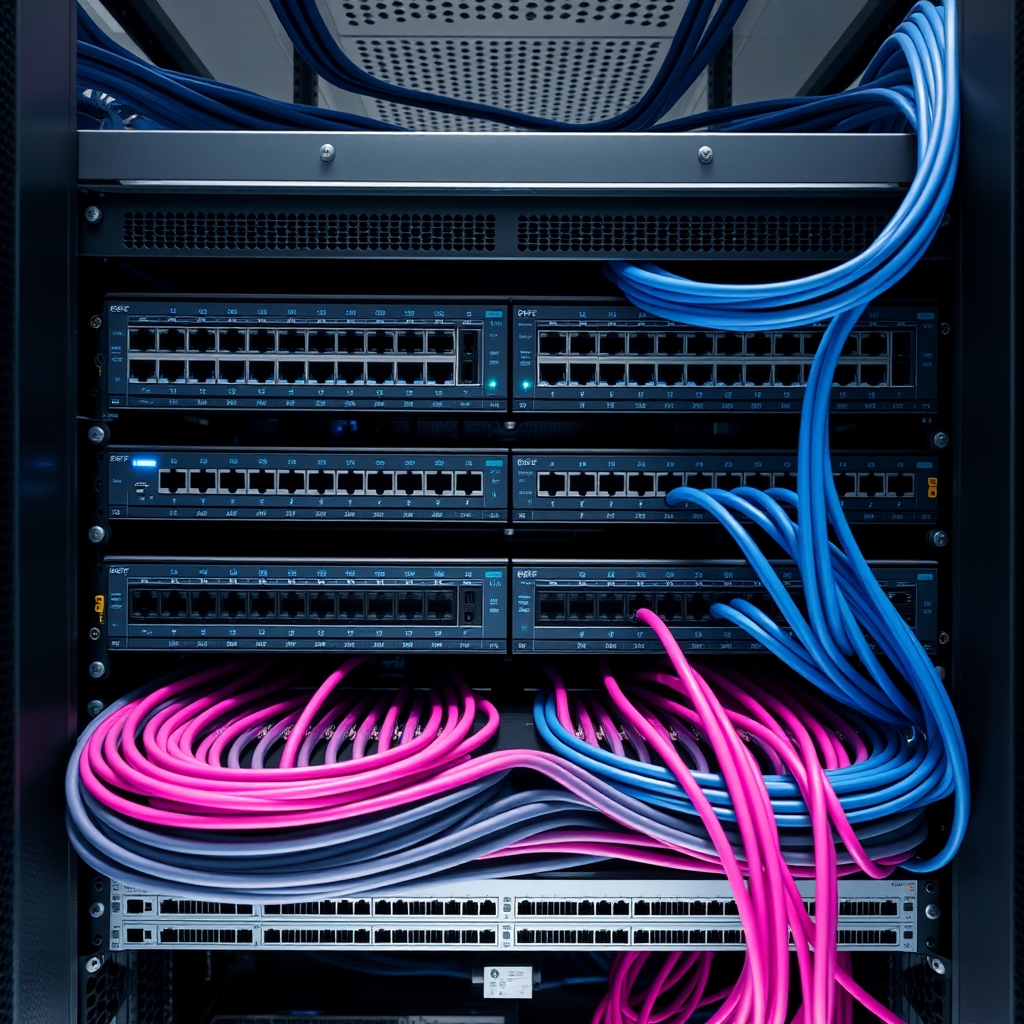
A common planning error is treating a Wi-Fi upgrade as an access point replacement exercise. The access point is one component in a system. Upgrading to Wi-Fi 6E or Wi-Fi 7 without reviewing the supporting infrastructure can result in a wireless layer that outperforms its backhaul, negating the investment.
Switching and PoE Requirements
Wi-Fi 7 access points from current product lines frequently require 2.5 Gbps or higher uplink ports to avoid creating a backhaul bottleneck. Many existing network switches provide only 1 Gbps access ports. A Wi-Fi 7 deployment may therefore require switch upgrades to multi-gigabit models. Additionally, Wi-Fi 7 access points often have higher power draw than their predecessors, requiring PoE++ (802.3bt) switches rather than standard PoE or PoE+ infrastructure. This has direct cost implications that must be included in the project budget.
Structured Cabling
Cat5e cabling, still present in many UAE commercial buildings, supports 1 Gbps at standard runs. To support multi-gigabit uplinks to access points, Cat6 or Cat6A cabling is required. Cat6A supports 10 Gbps at runs up to 100 metres and is the recommended minimum for new installations designed to support Wi-Fi 7. Recabling is a significant cost and disruption factor that must be assessed before committing to a Wi-Fi 7 deployment.
WAN Bandwidth and Internet Connectivity
Improving internal wireless capacity is of limited value if the organisation’s internet uplink is a constraint. Before investing in a wireless upgrade, IT teams should confirm that WAN bandwidth is sufficient to support the expected increase in concurrent usage. This is particularly relevant in UAE office environments where cloud application dependency has increased substantially.
Network Security Architecture
Wi-Fi 6, 6E, and 7 all support WPA3 security, which provides stronger protection than WPA2. A wireless upgrade is an appropriate moment to review the broader network security architecture, including VLAN segmentation for guest and IoT traffic, firewall policy, and wireless intrusion detection. Security should be treated as an integral component of the upgrade, not an afterthought.
Decision Checklist for Resellers and Businesses
The following checklist is intended to structure the evaluation process for IT managers, network administrators, and resellers advising clients on wireless upgrades in UAE environments.
Assess the Current Environment
- What is the current Wi-Fi standard in deployment, and what are the documented performance issues?
- What is the device density per access point, and what is the mix of device types?
- What proportion of client devices support Wi-Fi 6E or Wi-Fi 7?
- What applications are running over wireless, and what are their latency and throughput requirements?
Evaluate Infrastructure Readiness
- What cabling standard is installed, and does it support multi-gigabit uplinks?
- Do existing switches provide multi-gigabit ports and PoE++ capability?
- Is WAN bandwidth adequate for the projected wireless capacity increase?
- Is the current security architecture aligned with WPA3 and network segmentation best practice?
Define the Budget and Refresh Cycle
- What is the total budget, including access points, switches, cabling, and installation?
- What is the expected useful life of the new infrastructure, and when is the next planned refresh?
- Is this a new build, a renovation, or an incremental upgrade to an existing deployment?
Match the Standard to the Use Case
- SMB office, retail, or warehouse with standard workloads and a near-term refresh cycle: Wi-Fi 6 is a defensible choice.
- High-density environment with congestion on existing bands and modern client devices: Wi-Fi 6E provides targeted relief.
- High-density venue, latency-sensitive applications, new build, or long refresh cycle: Wi-Fi 7 warrants the investment.
How NEWCOM Supports Business Networking Requirements in the UAE
NEWCOM Computer Systems distributes a structured portfolio of enterprise and commercial networking products across the UAE and GCC, including access points, business routers, managed switches, and range extenders from brands such as TP-Link, NETGEAR, and Mercusys. This portfolio spans Wi-Fi 6, Wi-Fi 6E, and Wi-Fi 7 product lines, enabling resellers and system integrators to specify the appropriate solution for each deployment environment rather than defaulting to a single product tier.
For IT resellers and system integrators, NEWCOM provides product availability, competitive pricing, and technical support to help structure proposals across office, retail, hospitality, warehouse, and SMB segments. For procurement teams and IT managers evaluating business Wi-Fi in the UAE, NEWCOM’s channel partners can provide site assessment, solution design, and deployment support.
To discuss networking product availability, access point supplier options in the UAE, or partner support for a specific project, contact the NEWCOM team directly.
Frequently Asked Questions
Is Wi-Fi 7 worth the investment for a small or medium-sized business in the UAE?
For most SMBs with standard office workloads, moderate device density, and a planned infrastructure refresh within three to four years, Wi-Fi 6 remains a cost-effective and technically adequate choice. Wi-Fi 7 delivers measurable value in high-density environments, latency-sensitive applications, or new-build projects where the incremental cost is justified by a longer useful life. The decision should be based on a documented assessment of current performance issues, client device capability, and total infrastructure cost, not on the standard number alone.
What infrastructure changes are required before deploying Wi-Fi 7 access points?
Wi-Fi 7 access points commonly require multi-gigabit uplink ports on the connecting switch, PoE++ (802.3bt) power delivery, and Cat6 or Cat6A cabling to avoid backhaul bottlenecks. Organisations with Cat5e cabling and standard PoE switches may need to budget for switch and cabling upgrades as part of the Wi-Fi 7 project. Failing to account for these dependencies is a common cause of underperforming wireless deployments.
What is the practical difference between Wi-Fi 6E and Wi-Fi 7 for a hotel or hospitality environment in the UAE?
Wi-Fi 6E provides access to the 6 GHz band, which reduces congestion in high-density guest environments where the 5 GHz band is saturated. Wi-Fi 7 adds Multi-Link Operation, wider 320 MHz channels, and improved latency consistency, which benefits environments where guests simultaneously run streaming, video calling, and cloud applications. For most hospitality deployments, Wi-Fi 6E is a significant improvement over Wi-Fi 6. Wi-Fi 7 is the appropriate choice for premium properties or venues with very high concurrent user counts and demanding application profiles.
Do warehouse and logistics environments in the UAE need Wi-Fi 7?
Most warehouse and logistics environments do not require Wi-Fi 7. The primary wireless requirements in these settings are reliable coverage across large areas, consistent roaming performance as devices move through the facility, and sufficient capacity for barcode scanners, handheld terminals, and inventory management systems. These workloads are well served by Wi-Fi 6. The priority should be access point placement, coverage design, and roaming configuration rather than the latest standard.
How should resellers in the UAE position Wi-Fi 6 versus Wi-Fi 7 to clients?
Resellers should begin with a needs assessment covering device density, application requirements, client device capability, existing infrastructure, budget, and refresh cycle. Wi-Fi 6 should be positioned as the proven, cost-effective standard for the majority of commercial deployments. Wi-Fi 6E addresses specific congestion problems in dense environments. Wi-Fi 7 should be positioned for high-density venues, latency-sensitive use cases, new builds, or clients with modern device fleets who require a longer infrastructure lifecycle. Overselling Wi-Fi 7 to clients whose infrastructure and devices cannot support it damages credibility and creates support issues.